Recently google introduces a new feature in gmail called restore contacts.Now you can restore your accidentally deleted Gmail contacts in your Gmail account.
To recover accidentally deleted gmail contacts
1.Login to your Gmail account.
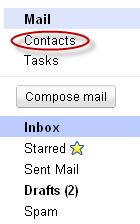
2.Click Contacts in your gmail.
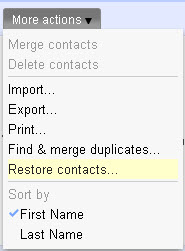
3.Click the More actions button.

4.click Restore Contacts.
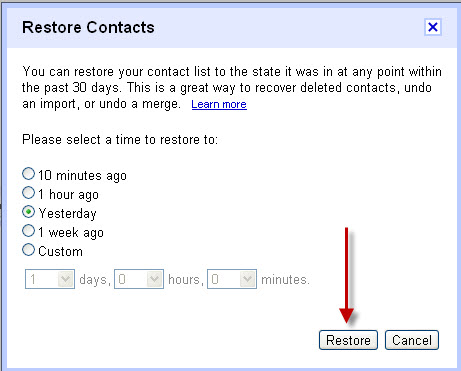
5.You can restore your contact list to the state it was in at any point within the past 30 days. Now, select the time range to restore your contact and click restore.