
Softwares used
Windows 8 Consumer Preview (Download Windows 8 Consumer Preview)
Virtualbox 4.1.8. (Download virtualbox from here)
Windows 7
Windows 8 System requirement:
1 GHz or faster processor
1 GB RAM (32-bit) or 2 GB RAM (64-bit)
16 GB available hard disk space (32-bit) or 20 GB (64-bit)
DirectX 9 graphics device with WDDM 1.0 or higher driver
1024 x 768 minimum screen resolution
1.Download Windows 8 iso file.
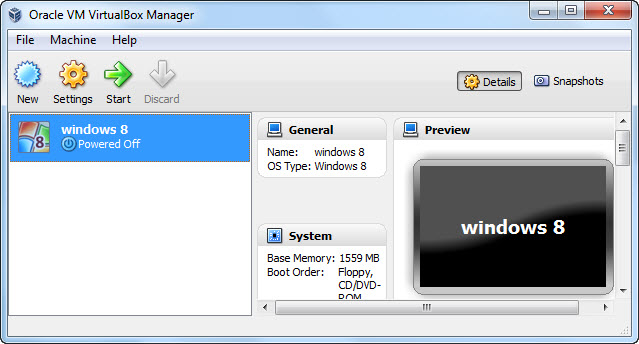
2.Open Oracle VM VirtualBox and click New to create a new virtual machine
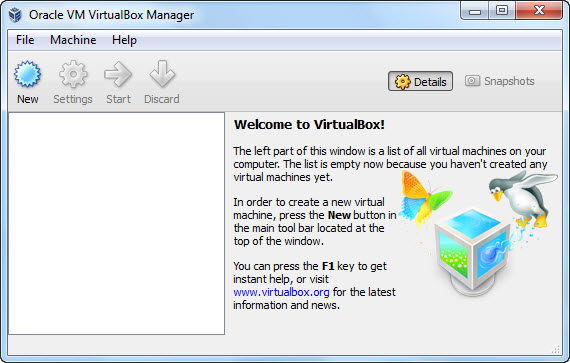
3.Then click the next button.
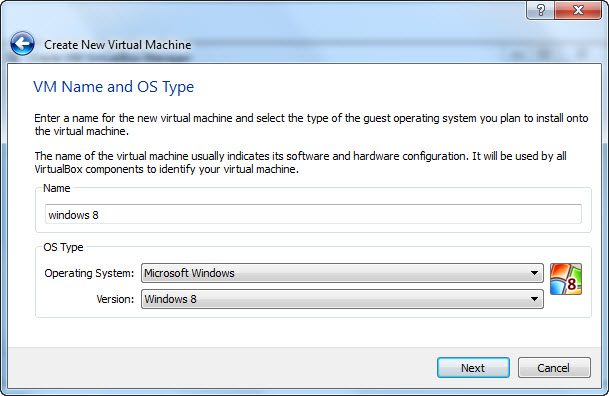
4.Enter a name for the new virtual machine and select operating system and version.Here operating system is Microsoft windows and version is Windows 8.And click Next.
5.Select the base RAM and click next .The recommended base memory size is 1024 MB.
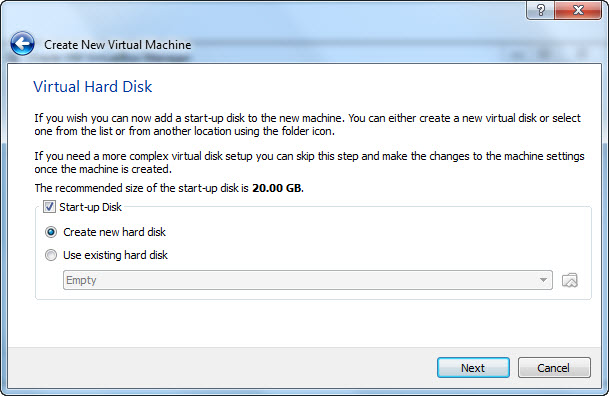
6.choose “Create new hard disk” Click Next.
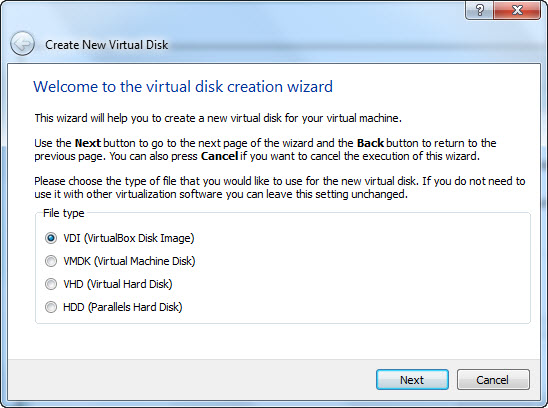
7.Choose virtual disk file type and click next.If you do not need to use it with other software just leave this unchanged.
8.select Dynamically allocated and click Next.
9.Select the location and size of the virtual disk and click Next.
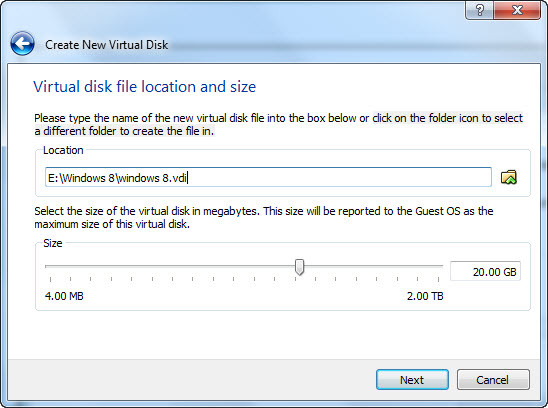
10.click Create button and then again click create.
11.Right click your windows 8 VM and select Settings.
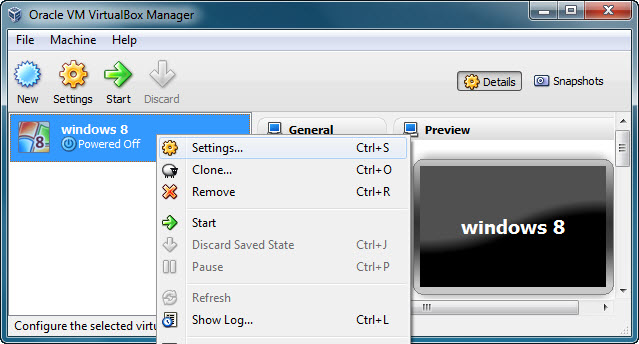
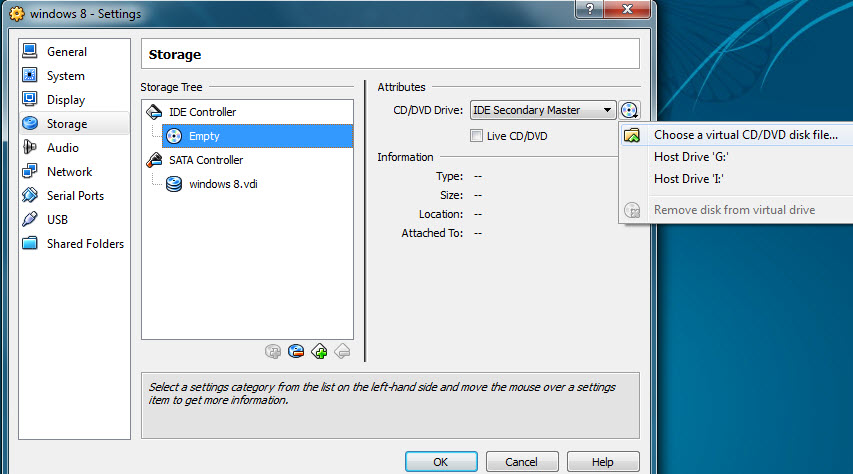
12.Then click Storage and select Empty under IDE Controller.click the CD/DVD icon (under Attributes) and browse and open the Windows 8 ISO file and Click Ok.
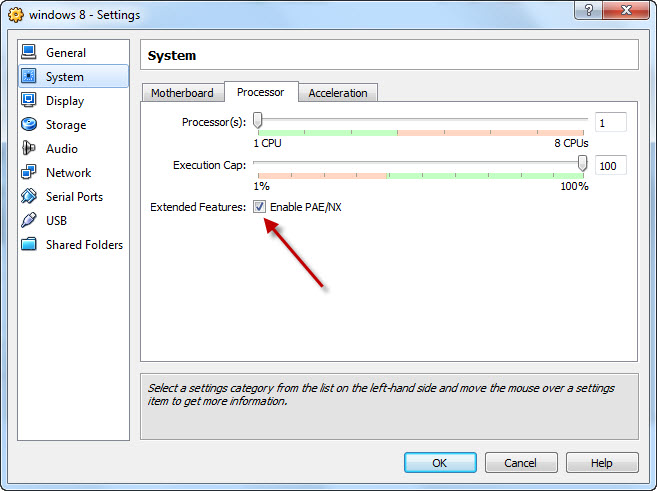
13.Again right click your windows 8 VM and select Settings,click System and select Processor tab and check Enable PAE/NX and click OK.
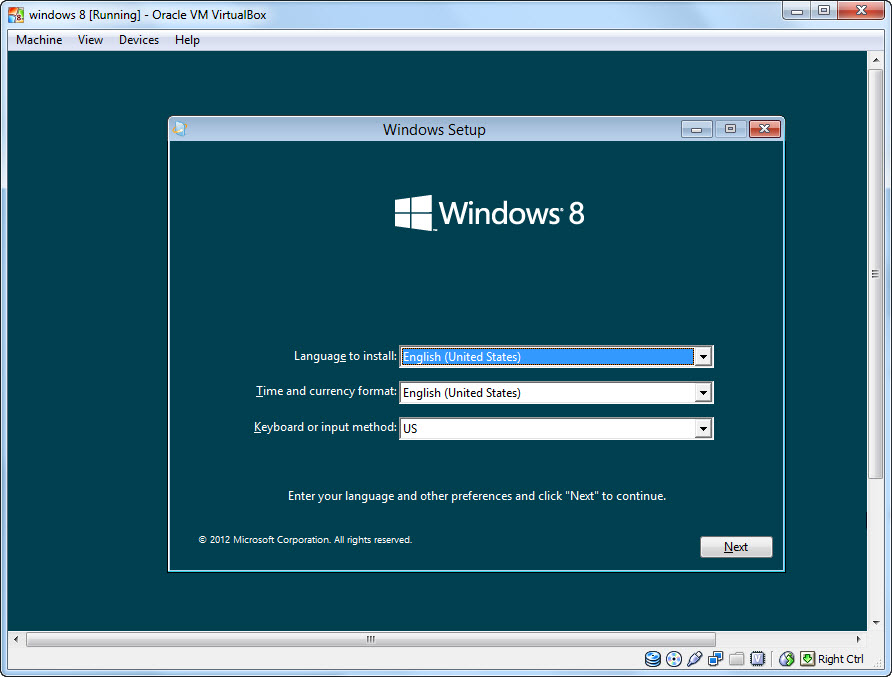
14.click the start button and install windows 8.
Set your language, time and currency format, and input method.
And then enter the product key (DNJXJ-7XBW8-2378T-X22TX-BKG7J).
Agree to the terms, choose a Custom setup and install Windows 8 to the only unallocated space.

Error=(
Screenshot: http://SSMaker.ru/cdb01c94/
Please, help!
PAE/NX is enabled
try with latest Virtualbox
Error http://desmond.imageshack.us/Himg39/scaled.php?server=39&filename=69113377.png&res=medium
enable virtualization from the BIOS
enabled, but now it appears only the fish just does not go ahead, not moving anything
Ask here https://forums.virtualbox.org/viewtopic.php?f=2&t=44577