fedora

How to install Fedora 15 on Oracle virtualbox

0

Professional budget Web hosting starts from $2.00. Cpanel -Control Panel,Softaculous -Auto Script Installer.PHP and Mysql.RVSkin

How to install Fedora 15 on Oracle virtualbox.

Softwares  used

Fedora 15 ,Download fedora from here
Virtualbox 4.1.0.Download  virtualbox from here
Windows 7

1.Open Oracle VM VirtualBox and click New to create a new virtual machine.
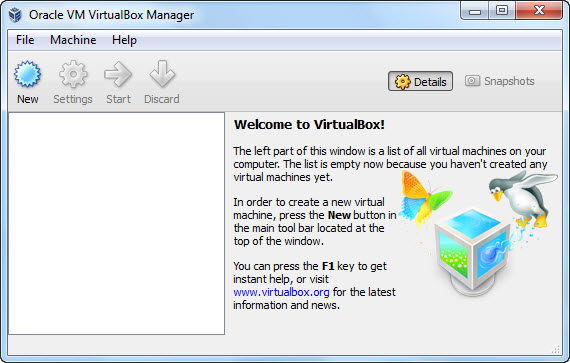


2.Then click Next button.

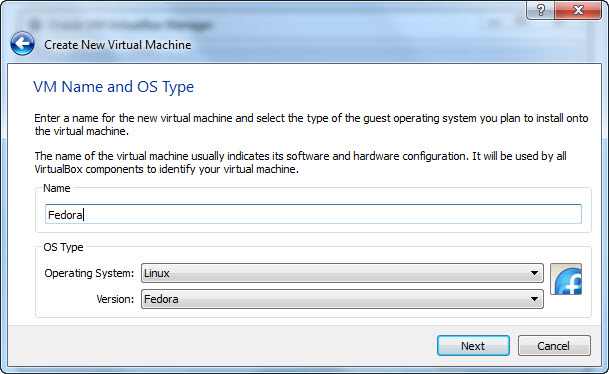
3.Enter a name for the new virtual machine and select operating system and version.Here operating system is linux and version is Fedora.And click Next.
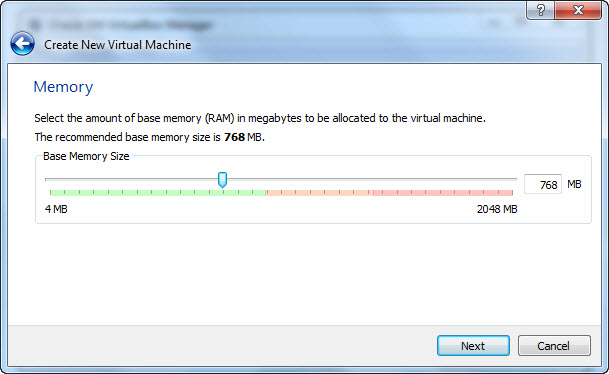
4.Select the amount of base memory(RAM) to the virtual machine and click next.
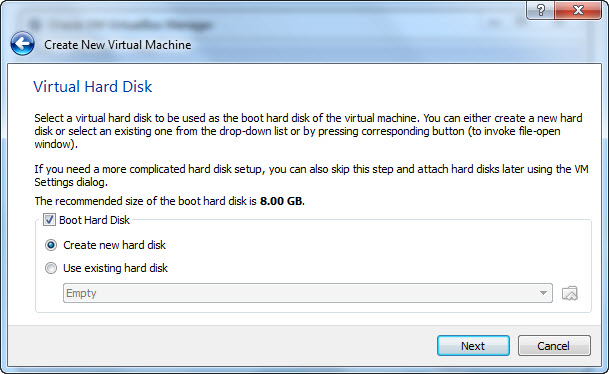
5.Create a new virtual hard disk to be used as the boot hard disk and click next.
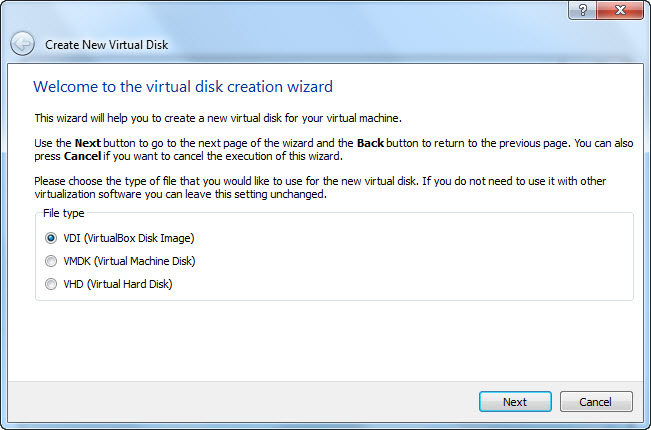
6.Choose virtual disk file type and click next.If you do not need to use it with other software just leave this unchanged.
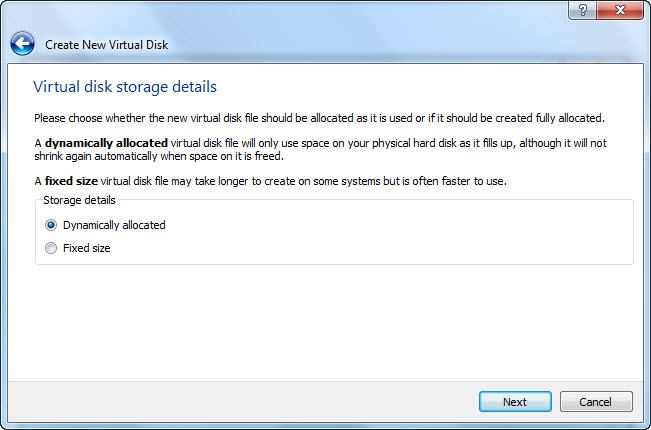
7.Choose Dynamically allocated and click Next.
8.Select the location and size of the virtual disk and click Next.
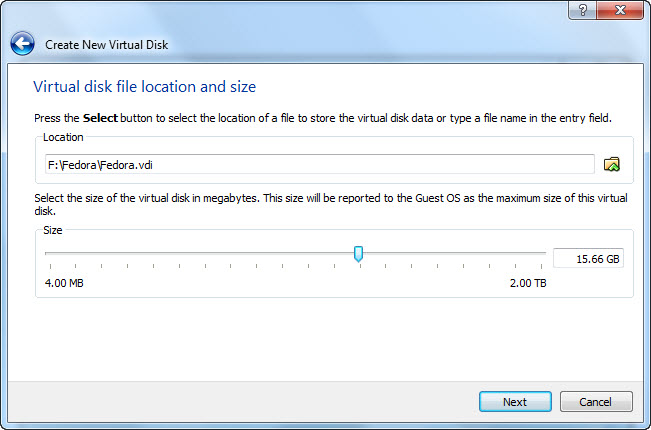
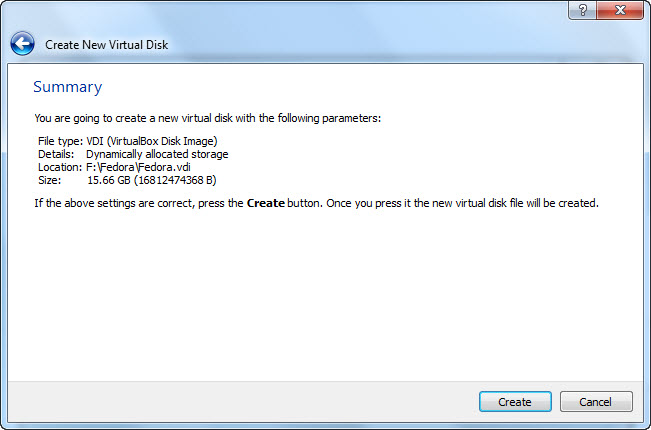
9.Then click Create button.
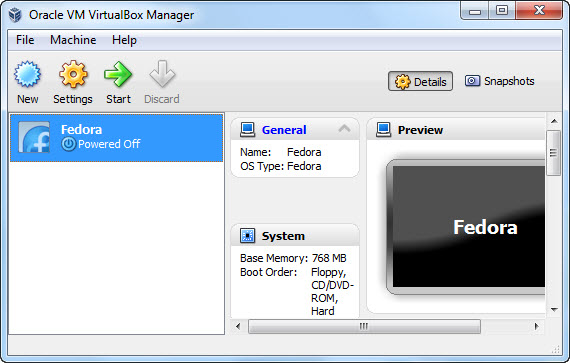
10.Click Start and ok.
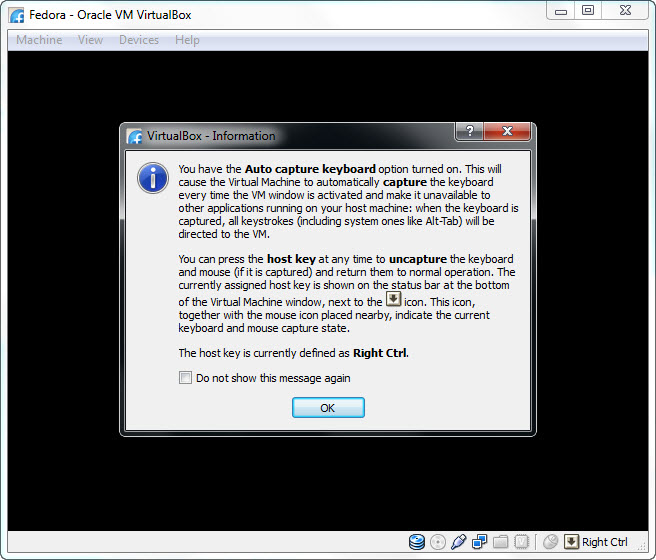
Note:Here the Host Key is Right Ctrl
11.Click next in first run wizard.

12.select the media which contain the setup program of the operating system you want to install then click next.
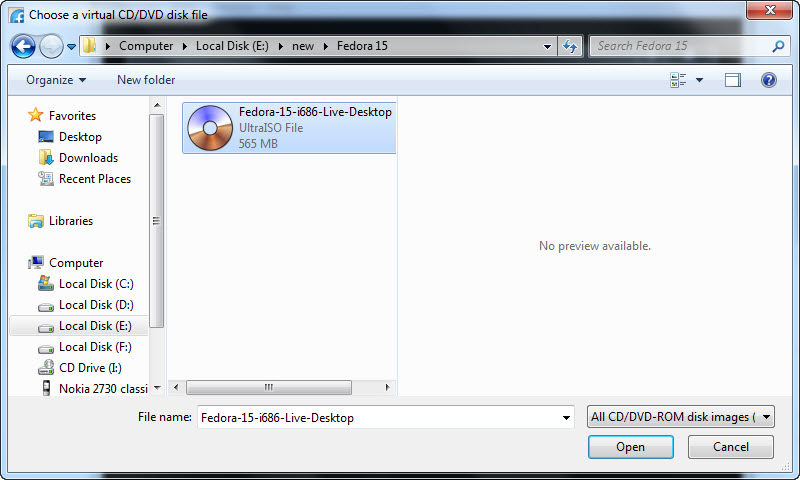
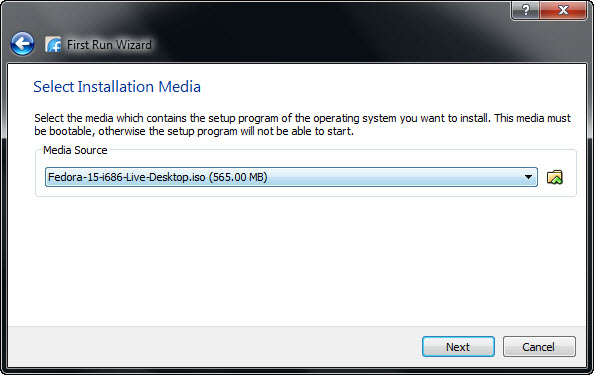
13.Then click Start
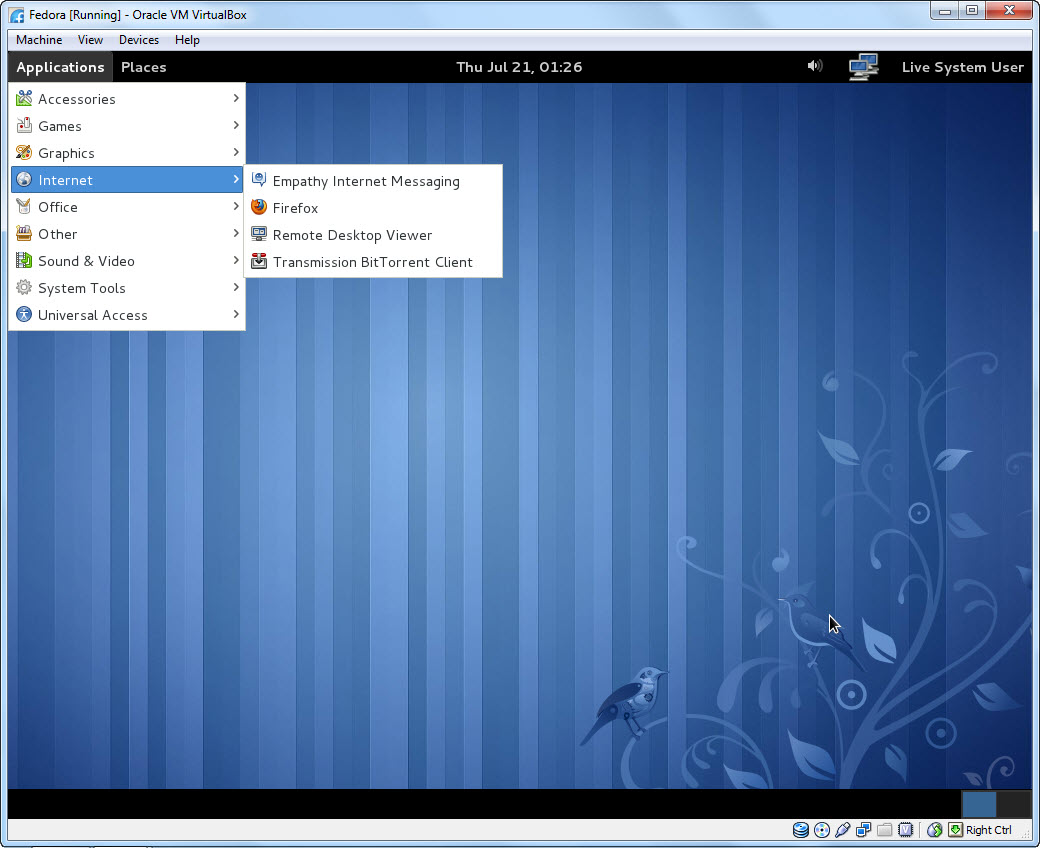
 

20% lifetime off - Tekecho Web hosting

avatar
Author :  

Hello visitor! Subscribe to the RSS feed or subscribe via email to receive updates.

Browse related articles

VirtualBox 4.1.14 released VirtualBox 4.1.14 released

Professional budget Web hosting starts from $2.00. Cpanel -Control Panel,Softaculous -Auto Script Installer.PHP and Mysql.RVSkin VirtualBox 4.1.14 is now available for download.This is a maintenance release. fixed the problem with packets larger than MTU-4 when PCnet or PRO/1000 was bridged to certain types of adapters on OS X hosts fixed a segfault under rare circumstances [...]

VirtualBox 4.1.12 released VirtualBox 4.1.12 released

Professional budget Web hosting starts from $2.00. Cpanel -Control Panel,Softaculous -Auto Script Installer.PHP and Mysql.RVSkin VirtualBox 4.1.12 is  now available for download.This is a maintenance release.what’s new in this release? VMM: fixed VERR_NOT_SUPPORTED and VERR_RAW_MODE_INVALID_SMP guru meditation due to an invalid reschedule to raw mode VMM: fixed PDMCritSectLeave guru meditation under rare circumstances with SMP [...]

VirtualBox 4.1.10 released VirtualBox 4.1.10 released

Professional budget Web hosting starts from $2.00. Cpanel -Control Panel,Softaculous -Auto Script Installer.PHP and Mysql.RVSkin VirtualBox 4.1.10 is now available for download.This is a maintenance release. VMM: fixed a potential problem causing to schedule interrupts during SYSEXIT right after STI VMM: fixed a potential guest memory corruption issue with page fusion VMM: adjusted the module [...]

How to install Windows 8 Consumer Preview on Oracle virtualbox How to install Windows 8 Consumer Preview on Oracle virtualbox

Professional budget Web hosting starts from $2.00. Cpanel -Control Panel,Softaculous -Auto Script Installer.PHP and Mysql.RVSkin Softwares used Windows 8 Consumer Preview (Download Windows 8 Consumer Preview) Virtualbox 4.1.8. (Download virtualbox from here) Windows 7 Windows 8 System requirement: 1 GHz or faster processor 1 GB RAM (32-bit) or 2 GB RAM (64-bit) 16 GB available [...]